
Donate Button
📚 Manage Planet 4 > Administration > Setting up the Basics > Donate Button
Main Donate Button
🔎 Where? You can find this by going to Dashboard > Appearance > Menus
Just as the main navigation bar menus, the Donate button can also have a maximum of 10 sub-items. The order can be customised by dragging and dropping each item into the order you need.
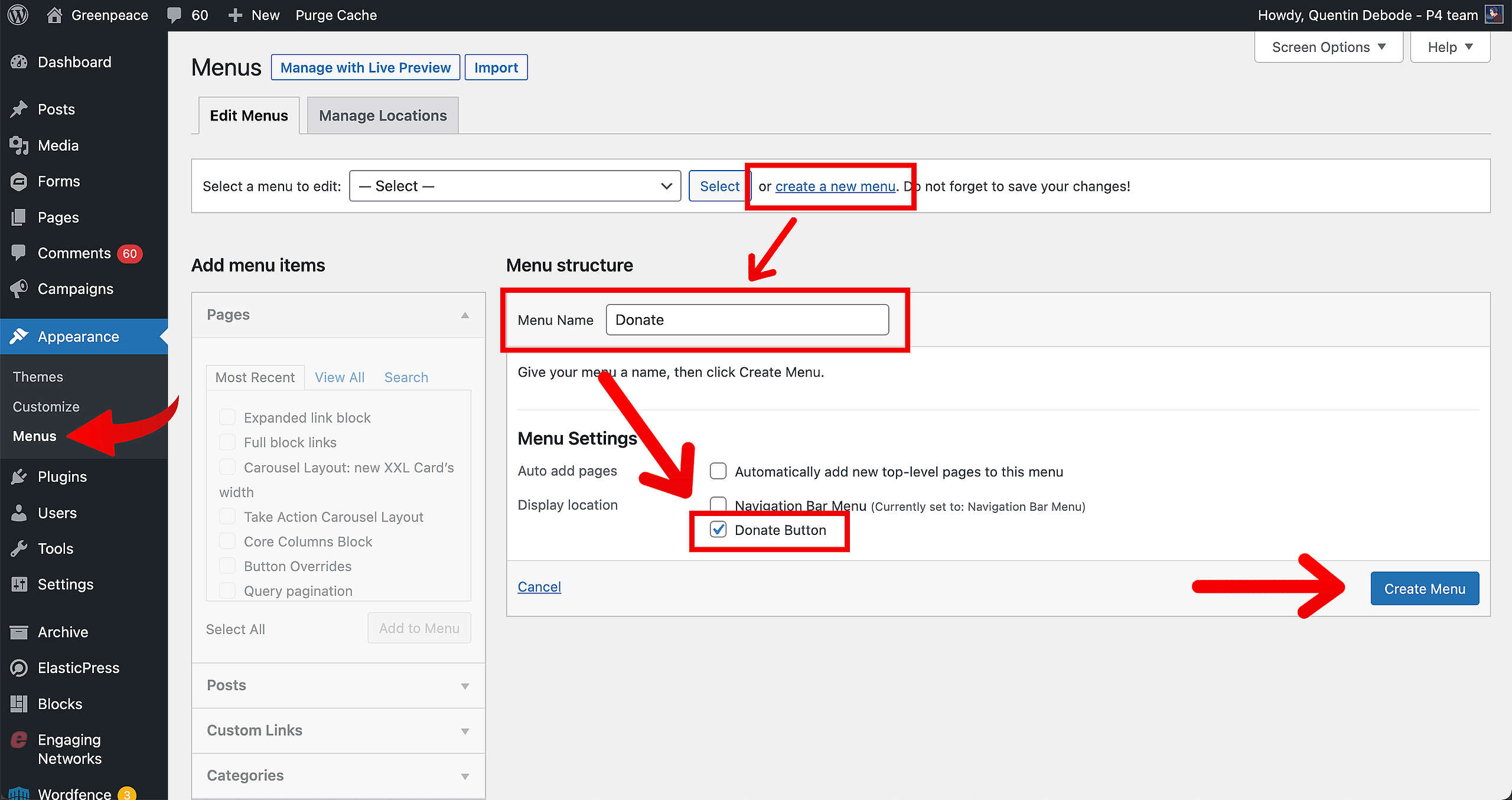
First, create a new menu and give it a name. Make sure to select “Donate button” and then already save it (you need to save it before you’ll be able to add new items).
After you’ve created and saved your menu, you’ll be able to add your Donation link. For a custom link, you can type in the Link and text, and then click “Add to Menu”.
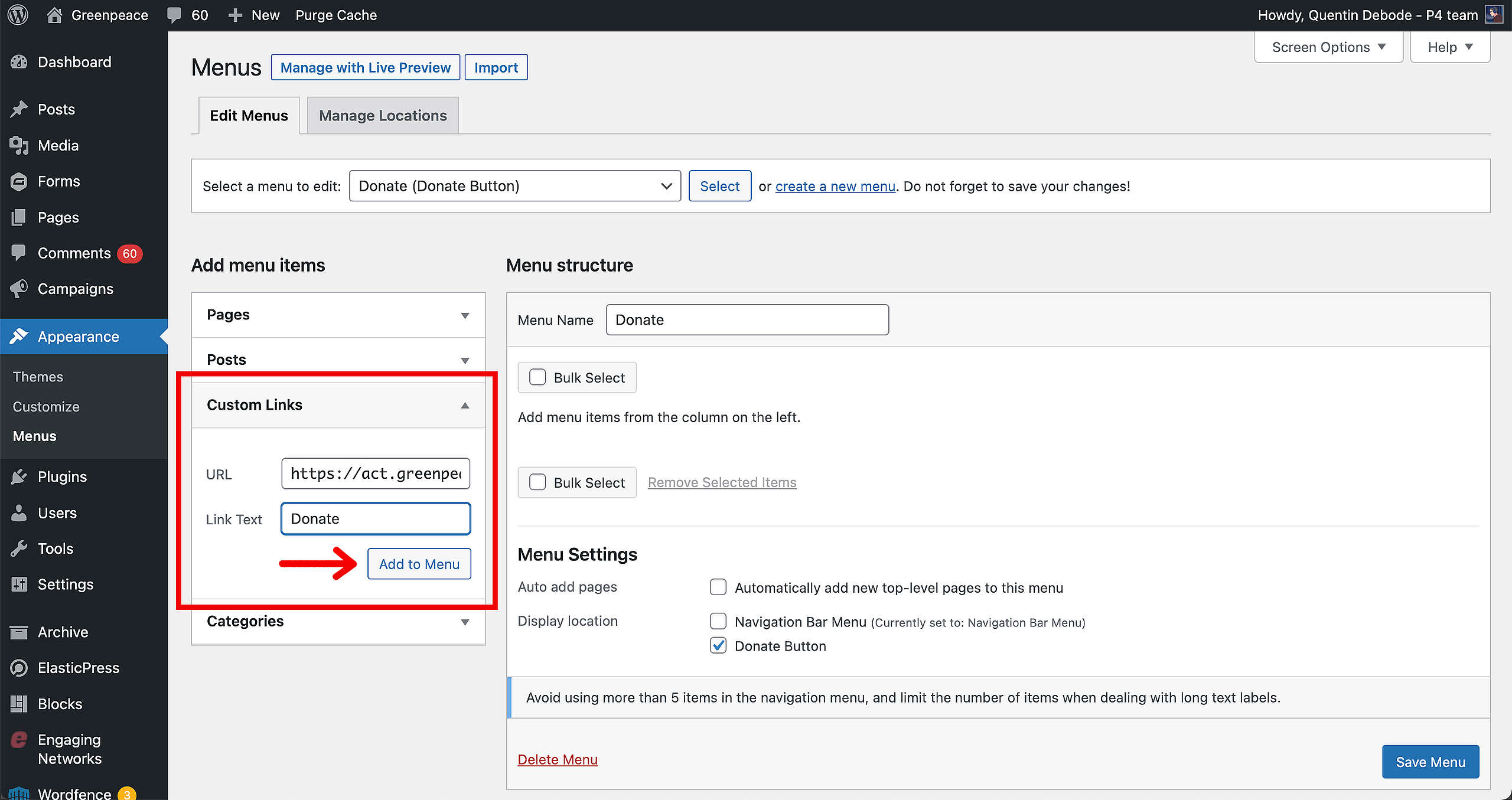
🤔 Key info: The text of the “Donate” setting has no capitalisation rules, this means that if in P4 settings you write “doNAte” that’s literally what will appear in the button!
Adding sub-items
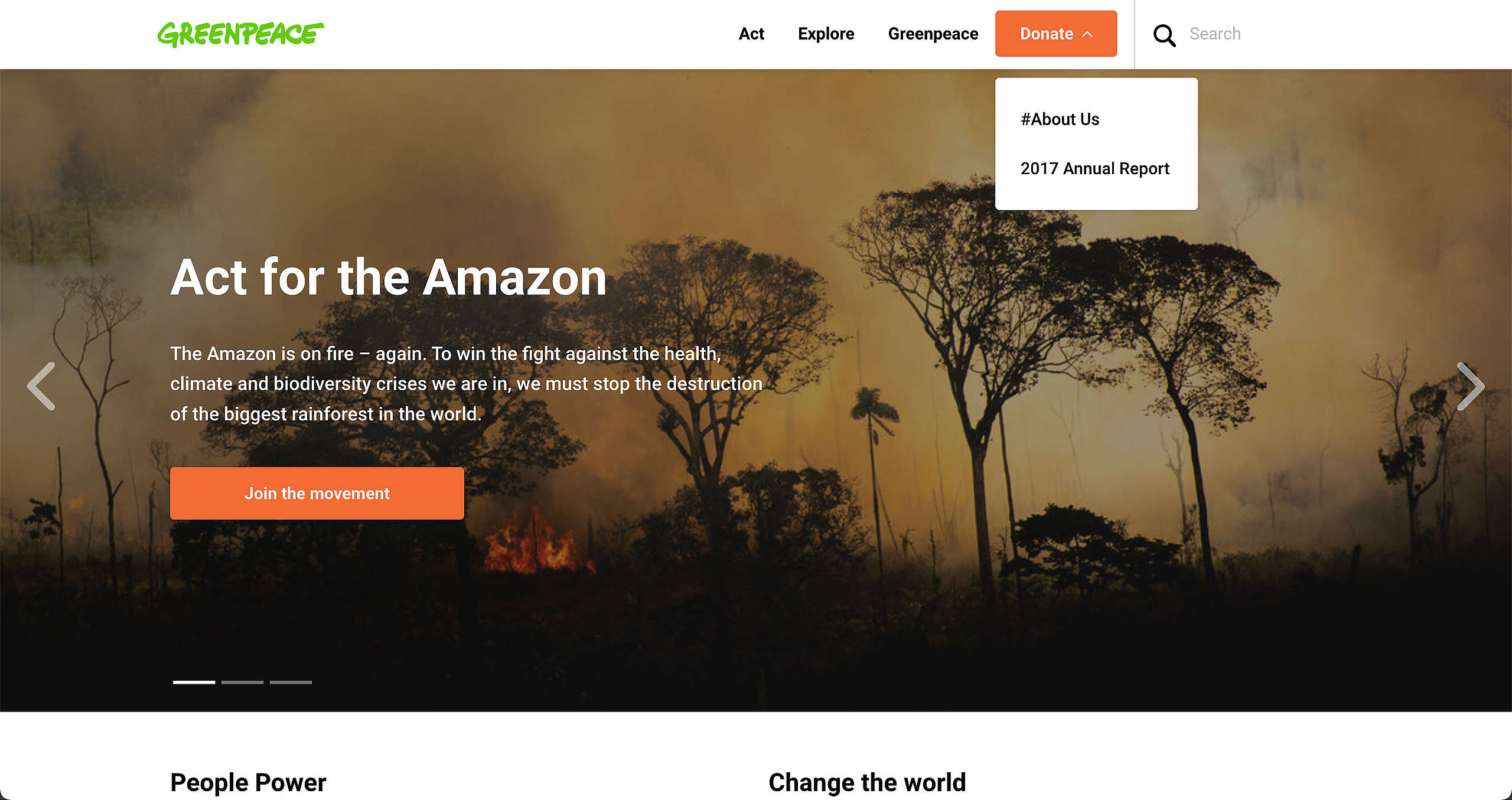
You can then add your sub-items by dragging an item slightly to the right under the main Donate Button. These will then appear as a dropdown menu under the donation button.
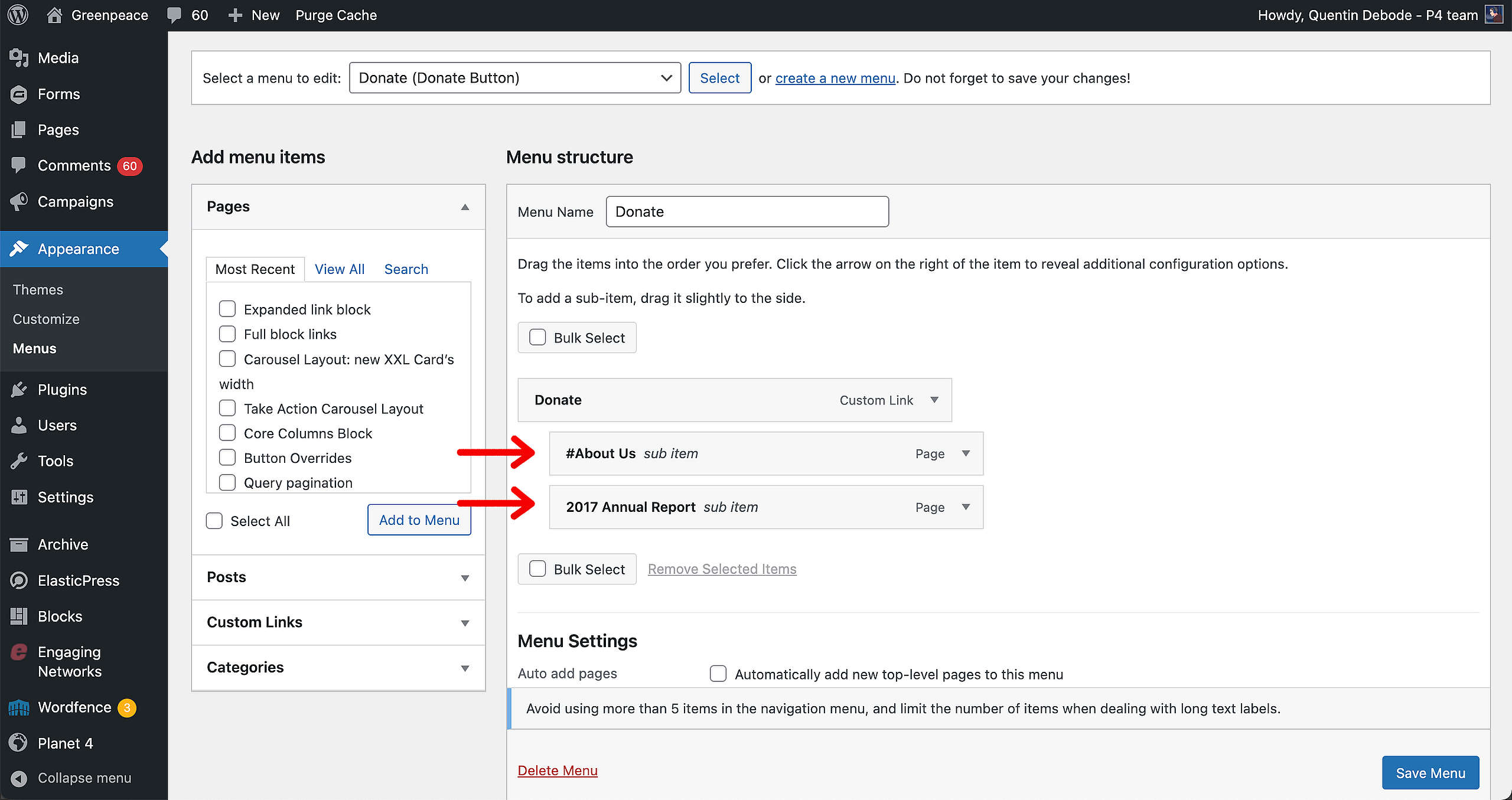
🤔 Key info: A maximum of 5 main menu items and 10 sub-items can be added to the menu. Each item can only be maximum 18 characters long, so be careful in naming your menu items.
Click “Save Menu” and the results will be visible on your page!
🧑💻 To set up your Main Navigation, go to this page in the Handbook.