Archive notice on old Posts
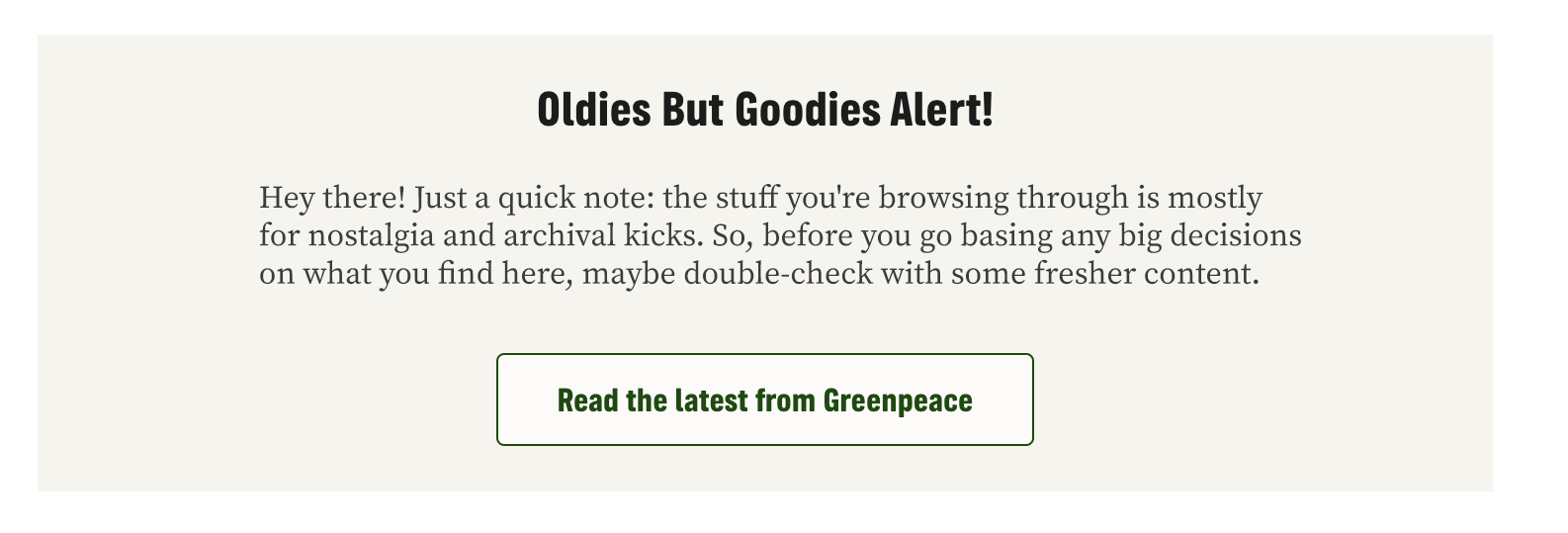
Create a small banner above older posts to notify visitors that this Post is an oldie (but goodie)!
📚 Create Content > Posts > Archive notice on old Posts
Before we start
🔎 Where? You can find this by going to Dashboard > Planet 4 > Features
To activate this feature, go to Dashboard > Planet 4 > Features and you’ll find the option to display the notice on top of old Posts. Check the box, and hit save!

Edit notice text
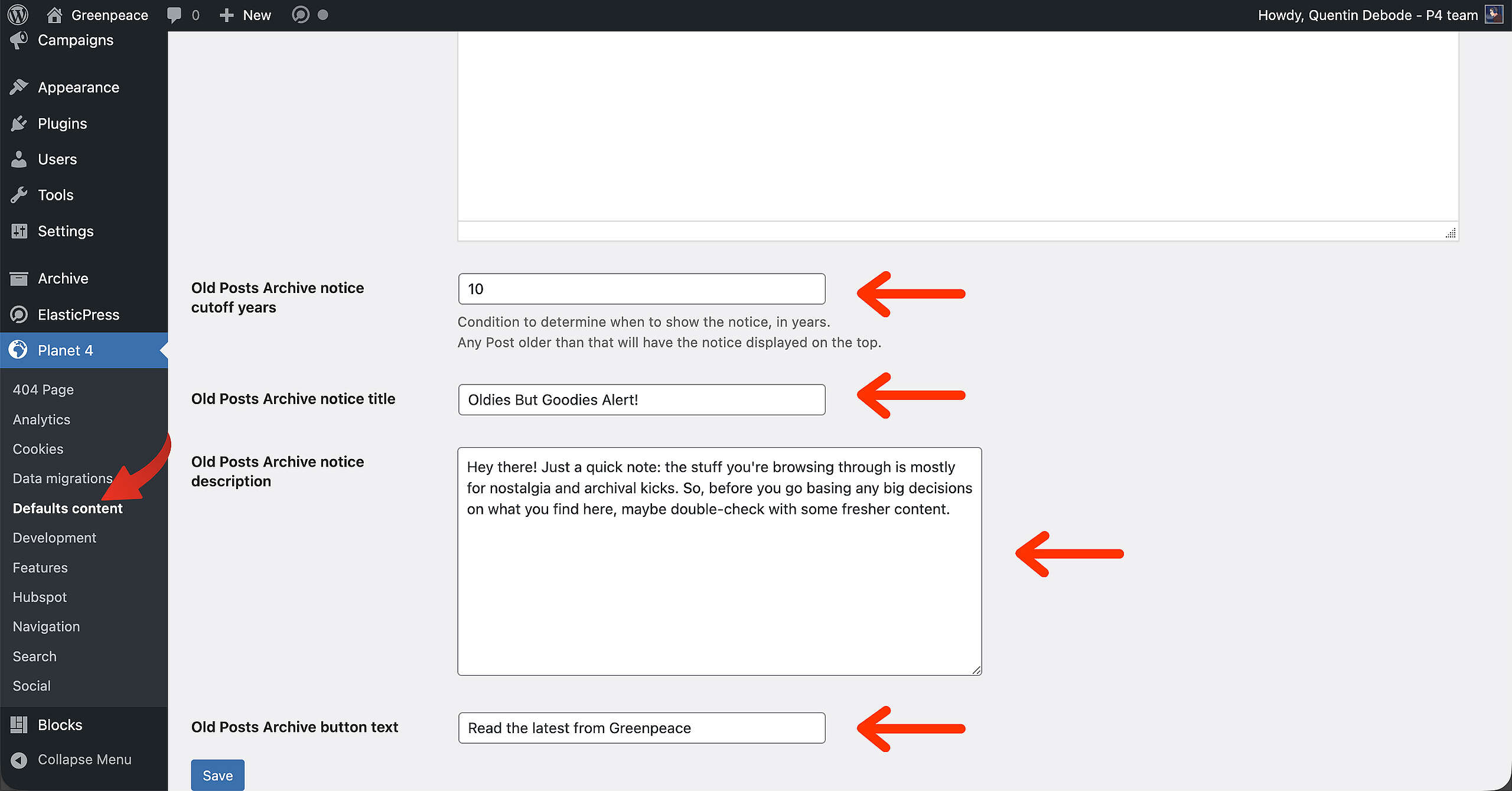
🔎 Where? You can find this by going to Dashboard > Planet 4 > Defaults content
Now that the feature is activated, it’s time to take care of some settings and the text. At Dashboard > Planet 4 > Defaults content, you’ll be able to select the cutoff year (after how many years the notice will appear), the title, the description text and a link to the latest Posts.
Once those are filled in, make sure to hit Save!
Result
And this is how it will look on top of old Posts: