
Table of Contents
Serving as dynamic Table of Content, creating a clickable menu based on the headers of the paragraphs.
📚 Create Content > Blocks > Table of Contents (previously called Submenu)
Definition & Purpose
Definition
Use the Table of Contents block to insert text, media, and other content in an ordered list of clickable headings corresponding to the content sections on the page.
Purpose
Allows users to locate and navigate to specific sections on the page quickly and efficiently.
Best practices
- Try not to us a more than two levels to avoid information overload
- Keep subtext collapsed and let user choose what to expand
Styles
Once inserted, you will be able to choose which style (Long-Full, Short Full or Sidebar), assign a title (Optional) and determine which items will be presented bigger or smaller, according to the Size you determine.
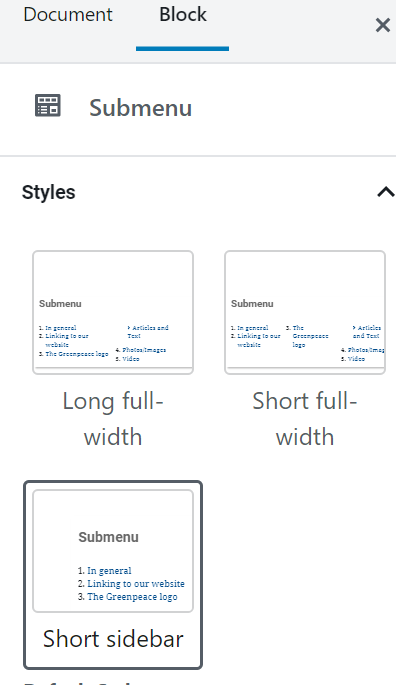
Long full-width
Use: on long pages (more than 5 screens) when list items are long (+ 10 words)
No max items recommended.
Short full-width
Use: on long pages (more than 5 screens) when list items are short (up to 5 words)
No max items recommended.
Short sidebar
Use: on long pages (more than 5 screens) when list items are short (up to 10 words)
Max items recommended: 9
Edit block elements
The Table of Contents title can be edited directly within the block. Adding a title is highly recommended to improve accessibility for screen readers and keyboard navigation.
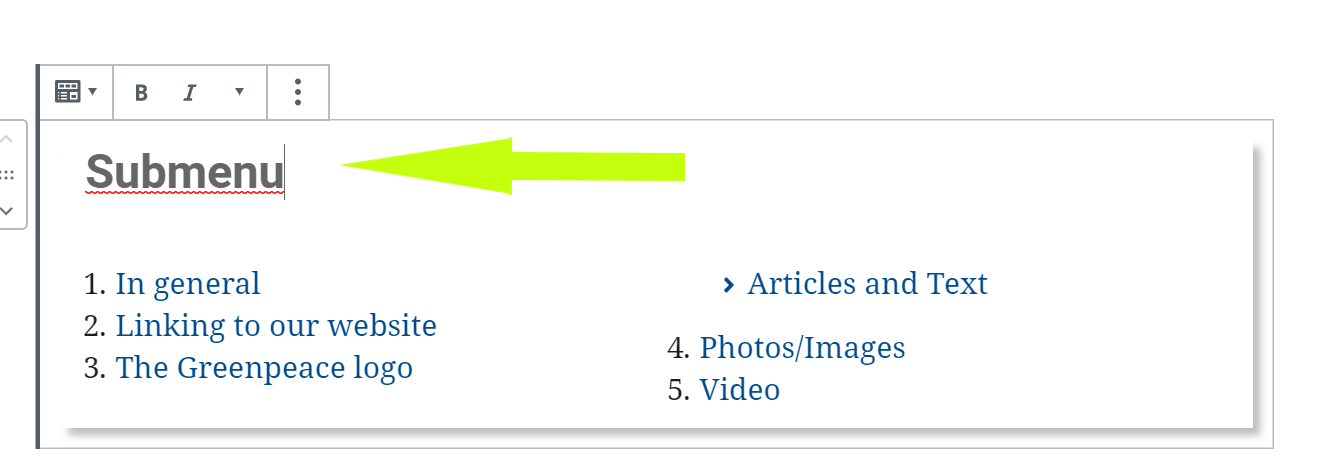
- Table of Contents items
- there are a total of 6 headings under each level
- ‘add level’ becomes available when the Level 1 Table of Contents item has been selected. Otherwise, it will be greyed out and unavailable
- for each Table of Contents item, you can select if you want to link the item in the Table of Contents to the content and how you want it to appear in the Table of Contents: none – simple list; bullet – the entries in the menu will have the Chevron sign ‘>’; number – the entries in the menu will be numbered.
Key Info : Heading sizes determine the parenting and ordering of the block, kind of the Google Doc “Table of Content”.
Design Elements
All design files of the block are available in the P4 Design Systems > Blocks > Table of Contents
Links & resources
- Handbook
- Set up the P4 key Content (Navigation, Footer, Menus, Favicon, Post types)