
Block: Secondary Navigation
Navigate to specific sections of the same page.
📚 Create Content > Blocks > Secondary Navigation (in Beta)
Before you start
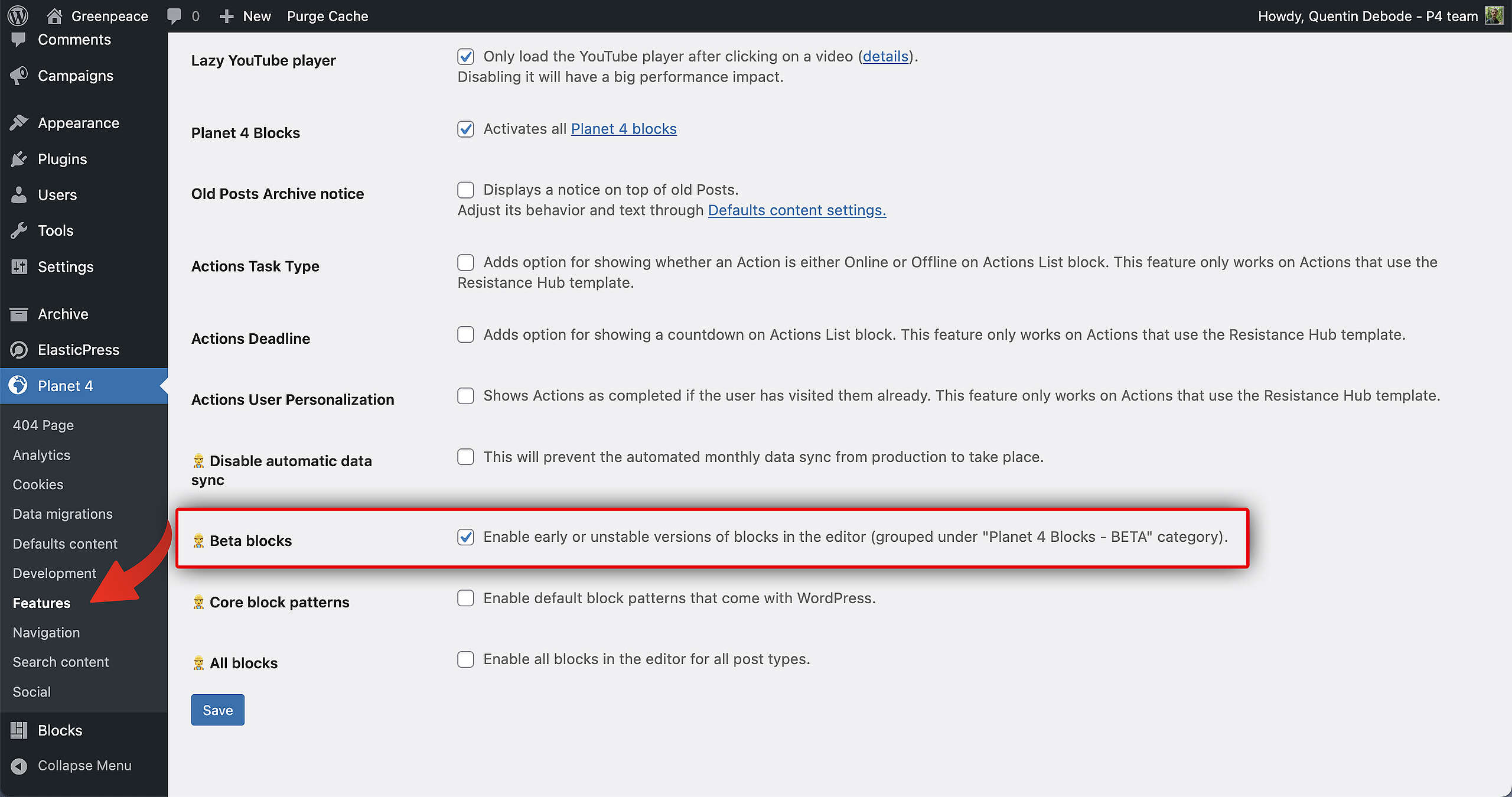
In case you want to try it out, you’ll have to enable “Beta Blocks” in your P4 settings of your Dev site. You can do this at Dashboard > Planet 4 > Features.
Secondary Navigation
Behavior
The Secondary Navigation Menu is a Block that behaves as if you’re using anchor links. It’s a menu to stay on the same page itself, but go towards specific sections by clicking this menu.
Using the Block
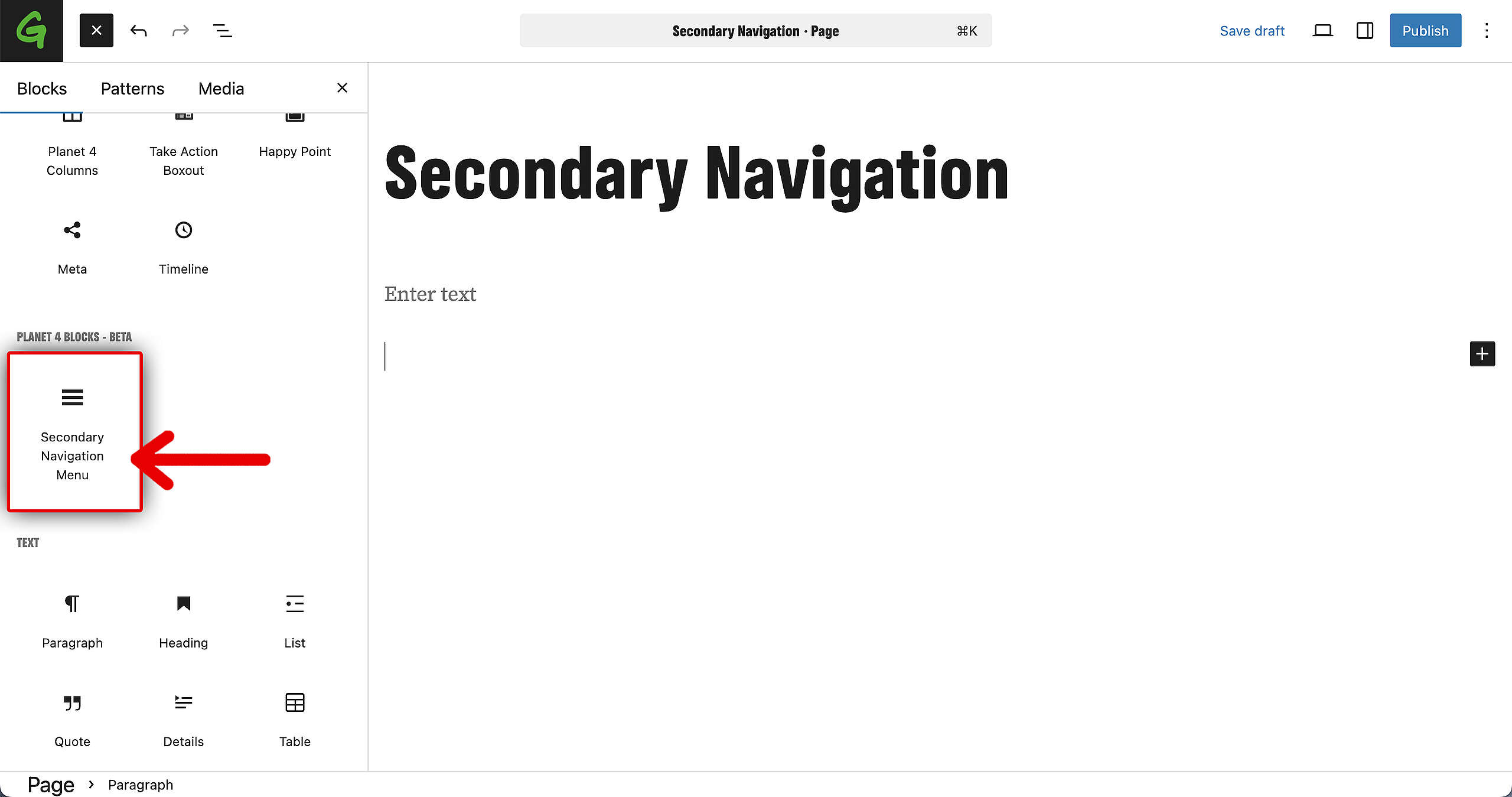
Add a new Block from the left, and go to the Planet 4 Beta Blocks. There, you’ll find the Secondary Navigation Menu. Drag and drop it into your page, or simply click on it.
Now it’s time to fill up the page. Add text, images, … create the page you want to create!
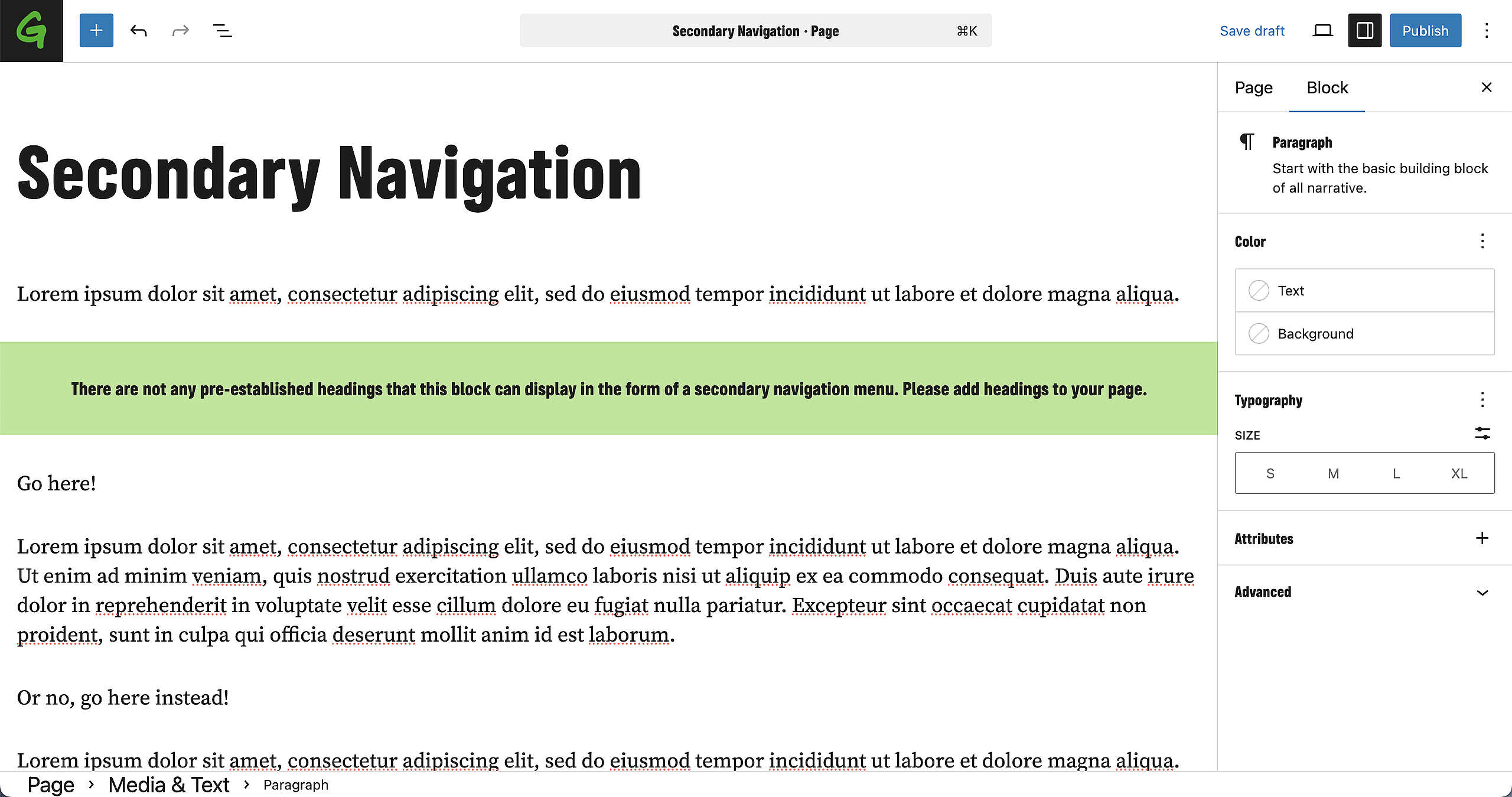
You’ll notice that the Secondary Navigation is still empty, this is because you need to add Headings.
Simply select the text that will become a title on the Page, by transforming it into a Heading.
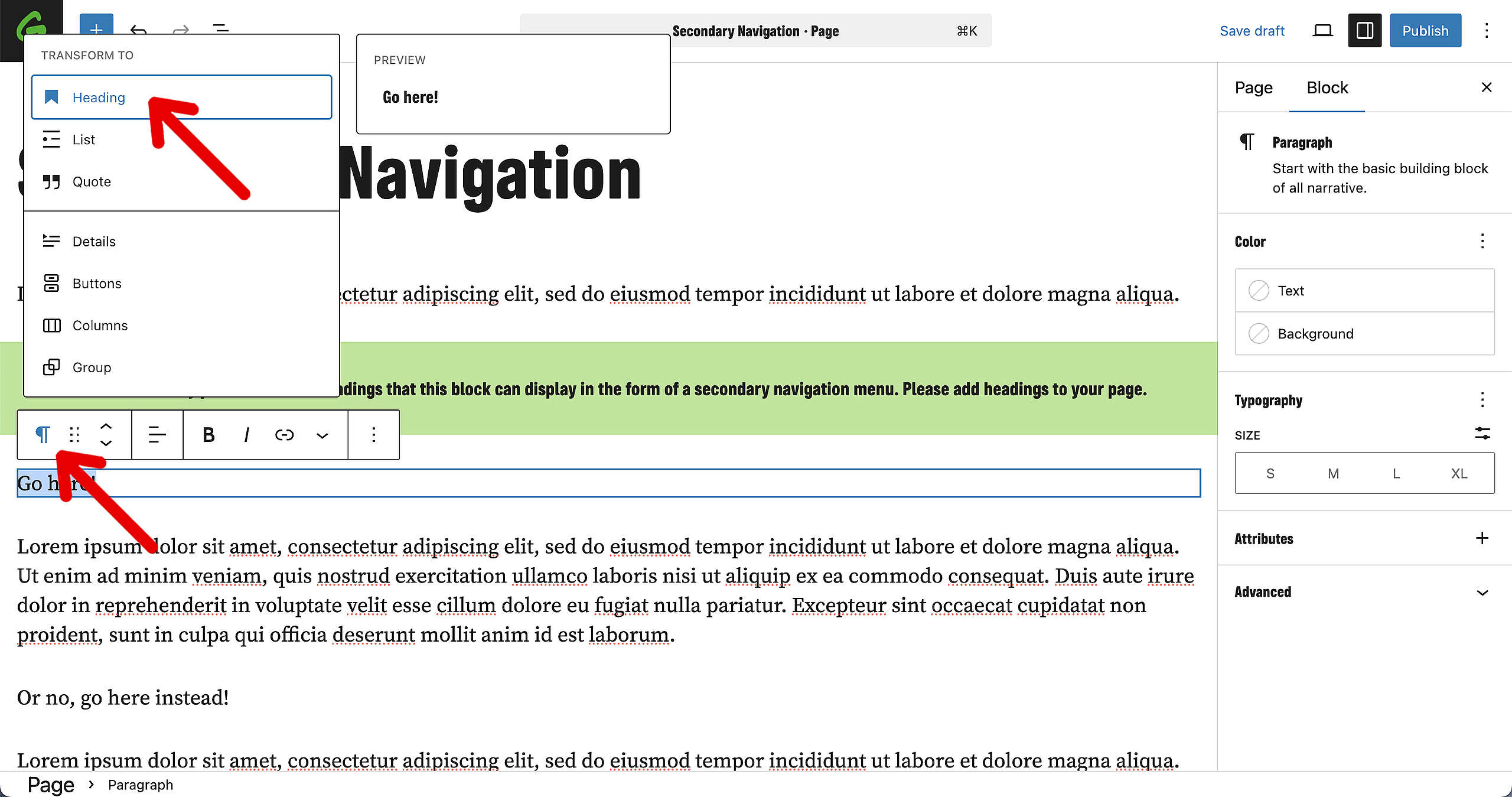
As soon as you’ve done that, you’ll notice that the Block is filling up with items. These items are now the links for the menu.
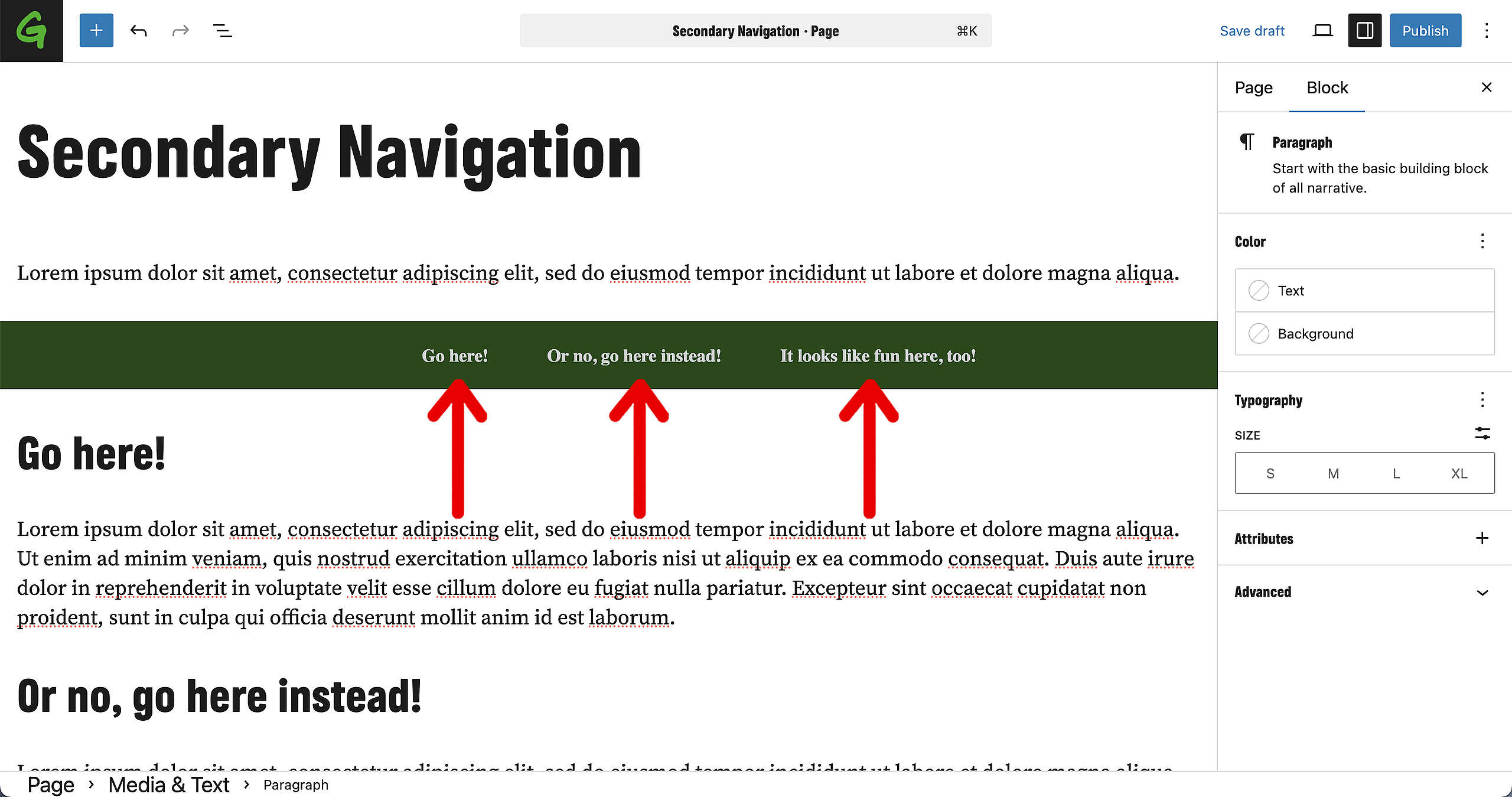
Result
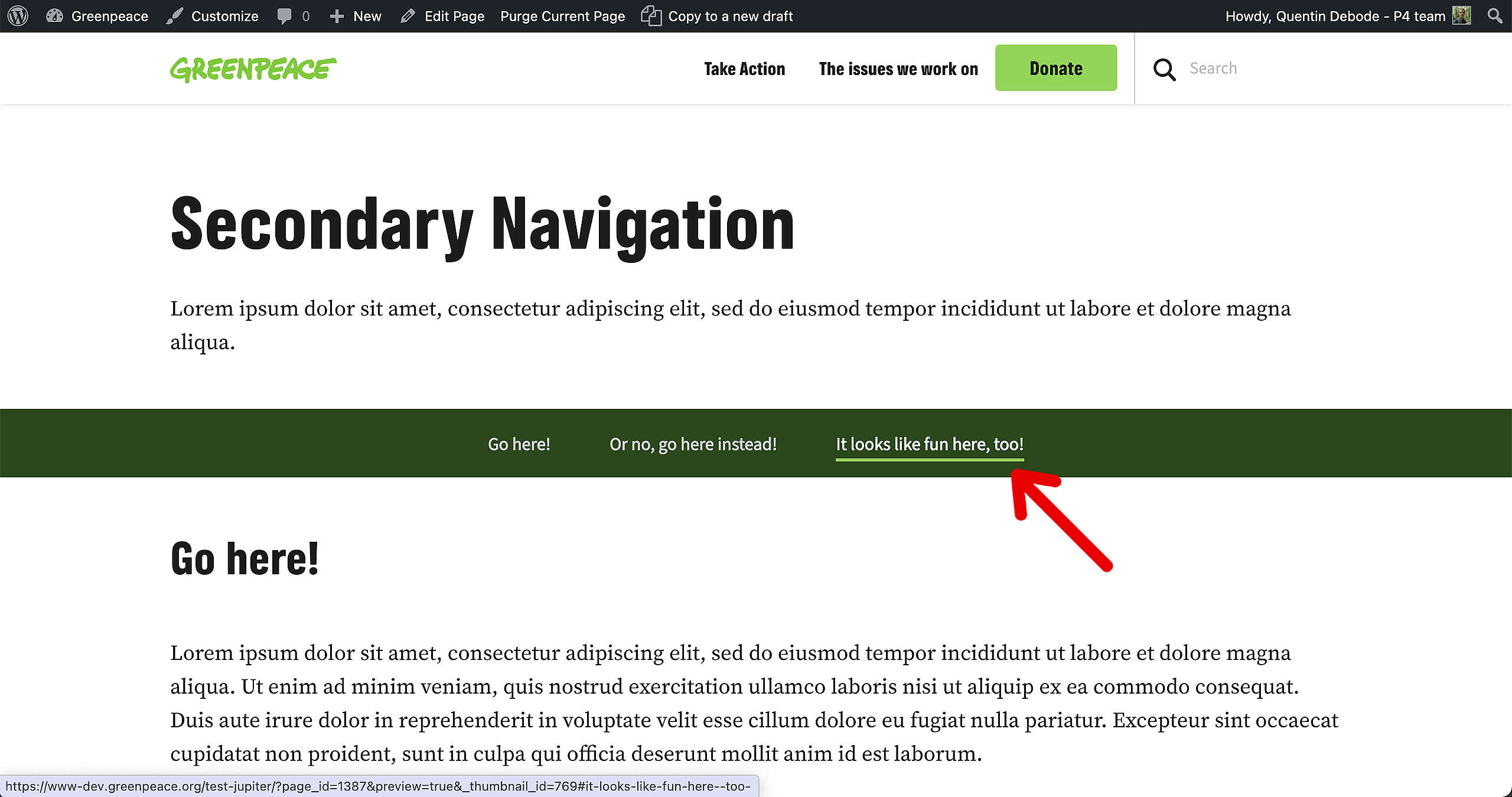
This is how it looks on the page (at this time – remember: this Block is still in Beta at the moment).
The Headings from the page became the menu items for this Block, and clicking them will automatically scroll towards the correct section of the page (specifically: where that title is located).
Design options
#soon
Links & Resources
Main Navigation
Images u0026amp; Videos
Blocks u0026amp; Patterns